GovWarrantSearch opt-out: how to remove your arrest and warrant record
GovWarrantSearch is part of the InfoTracer network, which means one removal request covers GovWarrantSearch and 54 other sister sites like AlabamaArrests.org, TexasArrests.org, and USWarrants.org. Email privacy@infotracer.com with your name, city, and state and ask to remove your information from the InfoTracer network. Or use the removal portal at infotracer.com/optout and enter your name, state, and city. InfoTracer says removal takes 7 to 14 days and removes you from all affiliated arrest and warrant search sites simultaneously.
Reading current independent checks… See route evidence
GOVWARRANTSEARCH.ORG is operated by InfoTracer; opt-outs are handled at infotracer.com (https://infotracer.com/optout/).
Work through this with your agent
Give your agent the published steps, sources and read-only tools. It should check the current official process and ask before taking action.
Copies public guidance only. You still approve any request your agent submits.
View or select the instructions
Remove yourself from GOVWARRANTSEARCH.ORG
7 steps. Use the official site in a normal browser and follow its current instructions if a human check fails.
- 01
Verify your listing exists on GovWarrantSearch
Search govwarrantsearch.org for your name to see if you have a listing. Note your full name, date of birth (if shown), and the state where your arrest is recorded. This helps you identify the correct record during removal.
- 02
Use the email removal route (recommended for most users)
Email privacy@infotracer.com with the subject line "Data Removal Request - GovWarrantSearch" (or simply "Removal Request"). In the body, provide your full name, city, state, and date of birth if you know it. Keep this email short and clear: InfoTracer processes these removal requests in order, and clarity speeds up the process.
- 03
Include key details in your email
Mention which arrest or warrant record you want removed (include location and approximate year if applicable). You can say: "Please remove my arrest record from the InfoTracer network, including GovWarrantSearch.org, AlabamaArrests.org, and all related sites." This ensures they understand you want complete removal from all 55+ sister sites.
- 04
Alternative: Use the InfoTracer opt-out portal
Go to infotracer.com/optout. Enter your name, state, and city in the form fields. Click the removal option and complete any additional verification steps (such as email confirmation). The portal may ask for more details than the email method, but it can be faster for some users.
- 05
Monitor your email for confirmation
InfoTracer may email you confirmation or ask for additional verification. Some removal requests may require you to reply from the email address you used in your request. Check your inbox and spam folder for any follow-up messages from privacy@infotracer.com.
- 06
Wait 7 to 14 days for processing
InfoTracer states that removal requests take 7 to 14 days to process. After this period, your information should be removed from GovWarrantSearch and all 55+ affiliated arrest-search sites simultaneously. Do not expect an email confirmation; you will need to verify by searching.
- 07
Confirm the removal
After 14 days, search GovWarrantSearch again for your name and the state. If your record is gone, your removal worked. Also search a few state-specific arrests sites (like FloridaArrests.org or TexasArrests.org) to confirm the entire InfoTracer network has been cleared.
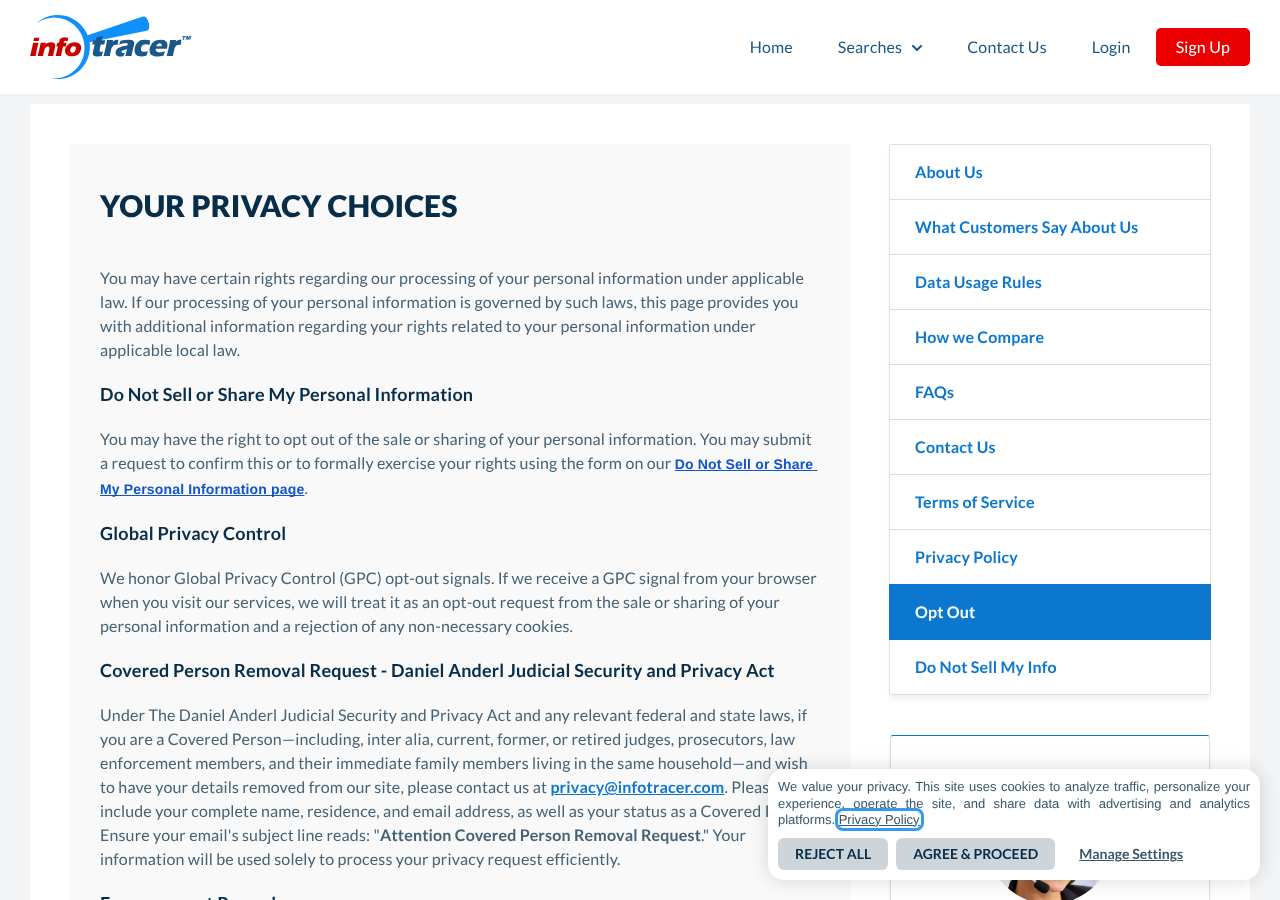
What the GOVWARRANTSEARCH.ORG opt-out page looked like when we checked
We loaded the opt-out page on infotracer.com on October 5, 2026 and it was up.
This is a dated record of what our browser saw, not a removal. We never submit requests from this page.
Continue with your next privacy task
Found your details on another site?
- TruePeopleSearch opt-out instructions
Use this guide if you find a matching listing on TruePeopleSearch. Check that site separately; a request elsewhere does not establish removal here.
- Unmask opt-out instructions
Use this guide if you find a matching listing on Unmask. Check that site separately; a request elsewhere does not establish removal here.
The source page changed, but Google still shows it
Choose between a Google personal-info request and refreshing an outdated result.
Read the how-toYou found more than one profile
Keep separate records of each matching URL so an extra listing is not missed.
Read the how-toThe confirmation email never arrived
Check the site's requirements before retrying a request or sharing more information.
Read the how-toRemind me to recheck GOVWARRANTSEARCH.ORG in 30 days
We'll send one reminder to verify the listing is actually gone. Confirm the email first; no ongoing marketing and no account required.
What is GOVWARRANTSEARCH.ORG?
GOVWARRANTSEARCH.ORG is an arrest and warrant-record search platform that republishes criminal-justice information—arrest records, mugshots, warrant information, and incarceration details—from county and state public records. GovWarrantSearch does not operate independently; it is part of the InfoTracer network, a collection of 55+ arrest and warrant search sites including state-specific domains like AlabamaArrests.org, FloridaArrests.org, and national sites like USWarrants.org and USRecords.net.
Because all these sites are operated by the same parent company, one removal request to InfoTracer removes you from all of them. The sites republish public arrest data to make it easily searchable online. You do not need to have signed up; any arrest, warrant, or incarceration record that is public will appear on these sites.
What a GOVWARRANTSEARCH.ORG listing can show
- Full name and date of birth (if public in arrest records)
- Mugshot photograph
- Charge details and case number
- Arrest date and location
- Current or past incarceration status
- Warrant information (type, amount, jurisdiction)
- Associated addresses and locations
Who runs GOVWARRANTSEARCH.ORG, and which sites one request covers
GOVWARRANTSEARCH.ORG is operated as part of the InfoTracer network, which includes 55 arrest-record and warrant-search sites. All sites in the network—including state-specific arrests sites (AlabamaArrests.org, FloridaArrests.org, etc.) and national sites (USWarrants.org, USRecords.net)—are managed under the same parent company. A single removal request to InfoTracer covers all 55+ affiliated sites, which is a significant advantage: one removal request removes you from the entire network, not just GovWarrantSearch alone.
Same request also covers: affordablebackgroundchecks.com, alabamaarrests.org, alaskaarrests.org, arizonaarrests.org, arkansasarrests.org, coloradoarrests.org, ctarrests.org, dcarrests.org, dewarrants.org, flarrests.org, georgiaarrests.org, hawaiiarrests.org, idahoarrests.org, illinoisarrests.org, indianaarrests.org, iowaarrests.org, kansasarrests.org, kentuckyarrests.org, louisianaarrests.org, maarrests.org, mainearrests.org, marylandarrests.org, michiganarrests.org, minnesotaarrests.org, missouriarrests.org, montanaarrests.org, msarrests.org, ncarrests.org, ndarrests.org, nebraskaarrests.org, nharrests.org, njarrests.org, nmarrests.org, nyarrests.org, ohioarrests.org, oklahomaarrests.org, oregonarrest.org, pennsylvaniaarrests.org, riarrests.org, scarrests.org, sdarrests.org, tennesseearrests.org, texasarrests.org, usrecords.net, uswarrants.org, utaharrests.org, virginiaarrests.org, vtarrests.org, washingtonarrests.org, wisconsinarrests.org, wvarrests.org, wyomingarrests.org, infotracer.com
What is the govwarrantsearch.org opt-out removal process?
GovWarrantSearch removal is handled through the InfoTracer network. Two routes are available: email privacy@infotracer.com with your name, city, and state; or use the removal portal at infotracer.com/optout and fill in your details. The email route takes 7 to 14 days and covers all 55+ sister sites in the InfoTracer family. The portal route is faster but may require additional verification steps. When we loaded the page on October 5, 2026 the portal was available and reachable. Removing from InfoTracer removes you from GovWarrantSearch and all related arrest-search sites simultaneously.
How long it takes
InfoTracer publishes a 7 to 14 day removal timeline. Re-check GovWarrantSearch and other InfoTracer-affiliated sites after two weeks to confirm your records are gone. If your listing still appears after 14 days, follow up with privacy@infotracer.com and reference your original removal request (keep the email confirmation or timestamp). In some cases, InfoTracer may take longer or require additional verification.
GOVWARRANTSEARCH.ORG opt-out problems and fixes
InfoTracer asked for more information
If InfoTracer replies asking for additional details like date of birth, arrest date, or case number, provide them promptly. Some removal requests require identity verification to ensure you own the record. Reply to their email with the requested information.
My record is still showing after 14 days
Email privacy@infotracer.com again, referencing your original request date, and ask for status. Include your full name, the state, and the approximate date of your arrest or warrant. InfoTracer may need to manually verify the removal.
I have records in multiple states
Submit one removal request with all the details: name, and all states where you have records. Mention you want removal from the entire InfoTracer network. One submission should cover all state-specific sites (AlabamaArrests.org, FloridaArrests.org, etc.).
My record reappeared after removal
New arrest records are continuously added to the system. If you have a new arrest or warrant filed after your removal, it will appear on GovWarrantSearch and sister sites again. Submit a new removal request for the new record. Keep records of all your removal requests.
The infotracer.com/optout portal is not loading
Try the email method instead: email privacy@infotracer.com with your removal request. The email method is reliable and often faster than the portal. You can also call them if a phone number is available on the site.
After you opt out of GOVWARRANTSEARCH.ORG
Keep a copy of your removal request email and any responses from InfoTracer. New arrests or warrant filings in your name will reappear on the InfoTracer network and related sites, so check occasionally. One advantage of removing from InfoTracer is that one request removed you from 55+ affiliated sites; if you later find yourself back on state-specific arrests sites, you only need to contact InfoTracer again, not 55 separate sites. Remember that the court record itself remains public in courthouse databases; InfoTracer removal only removes it from their searchable website.
Realistic scope
This guide explains how to request the action GOVWARRANTSEARCH.ORG publishes for its own site. Reading the guide or sending a request does not establish completed removal. Other sites and original public records are separate; recheck the specific govwarrantsearch.org page after the site's response and if the information appears again.
Not yet a filed-for-you target
This page documents GOVWARRANTSEARCH.ORG's published privacy route. My Privacy Agent Patrol does not file this site automatically yet. An exposure check uses configured sources and does not confirm that this specific site is included.
GOVWARRANTSEARCH.ORG opt-out FAQ
Is GovWarrantSearch legit, and is it safe to use the opt-out?
Yes. GovWarrantSearch is a real arrest-record search site, and the InfoTracer removal process is the official way to opt out. Both the email method (privacy@infotracer.com) and the portal (infotracer.com/optout) are safe and legitimate. The email method is straightforward and does not require you to enter sensitive details into a form. Do not use third-party services charging you to remove arrest records; InfoTracer's removal process is free.
How do I remove my record from GovWarrantSearch?
Email privacy@infotracer.com with your name, city, and state. GovWarrantSearch is part of the InfoTracer network, so one removal request removes you from GovWarrantSearch and all 55+ sister arrest-search sites (AlabamaArrests.org, FloridaArrests.org, etc.). Removal takes 7 to 14 days.
Does one removal cover all those sister sites?
Yes. That is one of the key advantages of the InfoTracer removal: one email to privacy@infotracer.com removes you from the entire network of 55+ state-specific and national arrest-search sites. You do not need to contact each site separately.
How long does GovWarrantSearch take to remove my record?
InfoTracer says 7 to 14 days. Re-check GovWarrantSearch and a few sister sites (like FloridaArrests.org) after 14 days to confirm removal. If your record is still live, email privacy@infotracer.com again with your original request date.
Does removing my record delete the actual court record?
No. Removing from GovWarrantSearch and InfoTracer removes your record from their website only. Your arrest record remains public in the actual court database and courthouse. You cannot delete a public court record, but you can remove it from private websites that republish it.
Can I opt out using the website portal instead of email?
Yes. Go to infotracer.com/optout and fill in your name, state, and city. Complete any verification steps the portal asks for. The portal may be faster than email for some users, but email is simpler for most people.
What if I have arrest records in multiple states?
Send one email to privacy@infotracer.com with all your details: your name and all the states where you have records. One request should remove you from all state-specific InfoTracer sites at once.
My record came back after I removed it
New arrest or warrant filings in your name will appear on GovWarrantSearch and sister sites again. These are new records, not the same one reappearing. You can submit a new removal request for the new record.
Who runs GOVWARRANTSEARCH.ORG, and which sites one request covers
GOVWARRANTSEARCH.ORG (govwarrantsearch.org) is operated by InfoTracer, and removal requests are processed at infotracer.com. It is listed as a people search site in our Extended coverage tier.
Sites in the same family:
- Affordable Background Checks (affordablebackgroundchecks.com)
- Alabama Arrests (alabamaarrests.org)
- Alaska Arrests (alaskaarrests.org)
- Arizona Arrests (arizonaarrests.org)
- Arkansas Arrests (arkansasarrests.org)
- Colorado Arrests (coloradoarrests.org)
- Connecticut Arrests (ctarrests.org)
- Delaware Arrests (dewarrants.org)
- Florida Arrests (flarrests.org)
- Georgia Arrests (georgiaarrests.org)
- Hawaii Arrests (hawaiiarrests.org)
- Idaho Arrests (idahoarrests.org)
…and 41 more.
Related opt-outs to clear next
Affordable Background Checks
People Search · affordablebackgroundchecks.com
Open guideAlabama Arrests
People Search · alabamaarrests.org
Open guideAlaska Arrests
People Search · alaskaarrests.org
Open guideArizona Arrests
People Search · arizonaarrests.org
Open guideArkansas Arrests
People Search · arkansasarrests.org
Open guideColorado Arrests
People Search · coloradoarrests.org
Open guideSources and review
Reviewed October 5, 2026 against GOVWARRANTSEARCH.ORG's own pages and the sources below. Broker forms change often; if something here no longer matches, the official page wins.
Review and change history
A content review or directory snapshot is reference history. A historical route observation does not establish submission, provider acceptance or removal, and does not establish a current working route. Current independent evidence has its own scope and expiry.
· Guide content reviewed against the published sources. This is the recorded review baseline; no earlier editorial change log is available.
· Historical route observation: reachable (HTTP 200). This describes only the page observed on that date; later steps and today's availability were not established by that observation.
Read current independent route evidence. That record reports its own scope, date, expiry and any gaps; this history does not renew verification.