How to remove yourself from AnyWho (2026 opt-out guide)
Guide content reviewed 2026-10-05
Reading current independent checks… See route evidence
AnyWho's opt-out link now redirects to Spokeo's removal form. Find your AnyWho profile, copy its URL, go to spokeo.com/optout, paste the URL, enter an email you control, and click the verification link Spokeo emails you. Removing your Spokeo profile removes you from AnyWho too. Removal usually takes 24 to 72 hours.
Direct link to intelius.com. Opt-outs on this page are free; you never need to pay AnyWho or us to use them.
Work through this with your agent
Give your agent the published steps, sources and read-only tools. It should check the current official process and ask before taking action.
Copies public guidance only. You still approve any request your agent submits.
View or select the instructions
Check if you are listed on AnyWho
AnyWho does not expose a stable public search URL we can prefill, so find your listing directly: open anywho.com, search your full name plus your state (and previous states), and copy the URL of the record that is you. The opt-out form usually asks for that URL or the same name and location.
What AnyWho typically shows
- Full name and any aliases or variations
- Current and previous residential addresses
- Estimated age or date of birth
- Landline and mobile phone numbers
- Names of relatives
- City or metro area information
An exposure report can help organize candidate listings before you work through the site's official steps.
Remove yourself from AnyWho
9 steps. Use the official site in a normal browser and follow its current instructions if a human check fails.
- 01
Search for your AnyWho profile
Go to anywho.com and search for your name and state. Find the listing that is you. If you do not find one, your removal may already be complete or AnyWho may have no records for you.
- 02
Copy the profile URL
Click on the profile listing to open it. Copy the full URL from your browser's address bar. It should start with anywho.com/people/ or a similar format. This is the URL you will paste into the removal form.
- 03
Open the removal page
Go to anywho.com/optout or start at spokeo.com/optout. AnyWho's removal link automatically redirects to Spokeo's opt-out form. The page should load without CAPTCHA on first load.
- 04
Paste your profile URL
In the field labeled 'Enter URL here', paste the AnyWho profile URL you copied. The URL is how Spokeo identifies the specific record to remove.
- 05
Enter an email address you control
Type an email address into the email field. Spokeo will send a verification link to this address; you must be able to access it to complete the removal.
- 06
Solve the reCAPTCHA
Complete the reCAPTCHA verification. When we loaded the page on October 5, 2026 a reCAPTCHA was required.
- 07
Submit the request
Click the submit button. Spokeo confirms that it is sending a verification email to your address.
- 08
Click the verification link
Open the email from Spokeo and click the confirmation link. If the email does not arrive within a few minutes, check spam and promotions folders. The link may expire after 24 hours, so click it promptly.
- 09
Re-check AnyWho and Spokeo
After 24 to 72 hours, search anywho.com and spokeo.com for your name and state to confirm the profile is no longer visible. If you have multiple profiles (from different cities or name variations), repeat this process for each one.
What the AnyWho opt-out page looked like when we checked
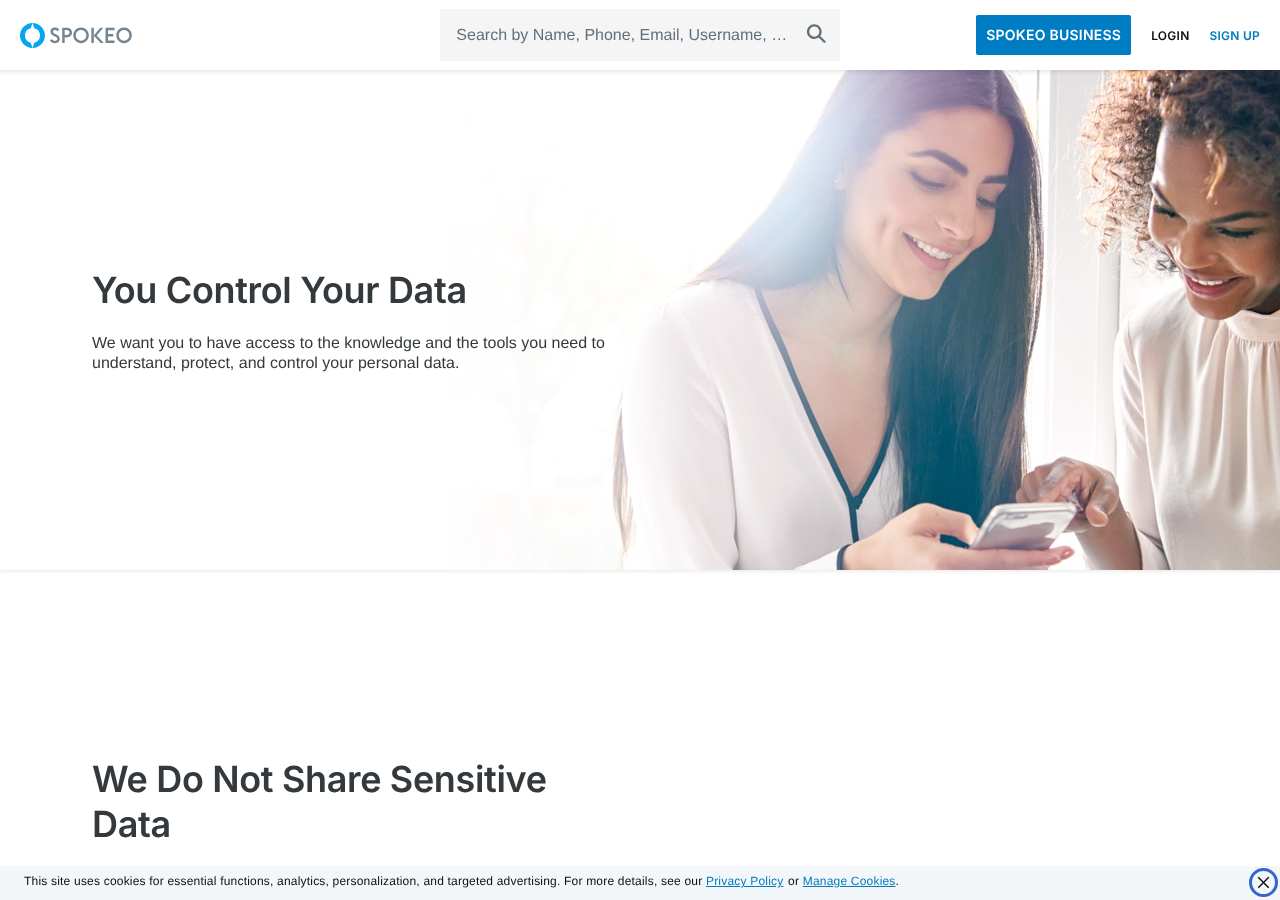
We loaded the opt-out page on spokeo.com on October 5, 2026 and it was up. The first screen asked for: Search by Name, Phone, Email, Username, or Address, Enter URL here, Enter email address here. The page includes a reCAPTCHA check.
This is a dated record of what our browser saw, not a removal. We never submit requests from this page.
Continue with your next privacy task
Found your details on another site?
- TruePeopleSearch opt-out instructions
Use this guide if you find a matching listing on TruePeopleSearch. Check that site separately; a request elsewhere does not establish removal here.
- Unmask opt-out instructions
Use this guide if you find a matching listing on Unmask. Check that site separately; a request elsewhere does not establish removal here.
The source page changed, but Google still shows it
Choose between a Google personal-info request and refreshing an outdated result.
Read the how-toYou found more than one profile
Keep separate records of each matching URL so an extra listing is not missed.
Read the how-toThe confirmation email never arrived
Check the site's requirements before retrying a request or sharing more information.
Read the how-toRemind me to recheck AnyWho in 30 days
We'll send one reminder to verify the listing is actually gone. Confirm the email first; no ongoing marketing and no account required.
What is AnyWho?
AnyWho is a long-running free people-search directory. For many years it maintained its own database of addresses and phone numbers, but it now relies on Spokeo for search results. When you search AnyWho, you are seeing Spokeo's data. Consequently, AnyWho profiles are powered by Spokeo, and removing yourself from Spokeo also removes you from AnyWho.
AnyWho profiles contain addresses, phone numbers, age estimates, and names of relatives. You do not need to sign up or have any account with AnyWho to appear on it. AnyWho (like Spokeo) pulls data from public records, phonebooks, utility records, property records, and data purchased or traded with other data brokers.
What a AnyWho listing can show
- Full name and any aliases or variations
- Current and previous residential addresses
- Estimated age or date of birth
- Landline and mobile phone numbers
- Names of relatives
- City or metro area information
Who runs AnyWho, and which sites one request covers
AnyWho is currently operated as a brand under Spokeo Inc., which owns multiple people-search sites. When you remove yourself from Spokeo, AnyWho automatically reflects that removal. Spokeo also operates Truepeoplesearch.com. Other people-search sites like Intelius, ZabaSearch, TruthFinder and Nuwber are separate companies with their own removal processes.
What is the anywho.com opt-out removal process?
The anywho.com removal process redirects to Spokeo's opt-out form at spokeo.com/optout. You provide your AnyWho or Spokeo profile URL, an email address, and complete a reCAPTCHA. Spokeo emails a verification link. When we loaded the page on October 5, 2026 it displayed fields for profile URL, email address, and a reCAPTCHA verification.
How long it takes
Spokeo says removal typically takes 24 to 72 hours. Most users see their profiles disappear within two to three days. Re-check after 72 hours. If the profile is still live after a week, contact Spokeo support.
AnyWho opt-out problems and fixes
I searched AnyWho but found no profile under my name
AnyWho and Spokeo may not have a record for you, in which case there is nothing to remove. Alternatively, your previous removal request may have already cleared the profile. You can confirm by checking Spokeo.com directly.
The removal page asks for a profile URL but I only have my name
Go to anywho.com, search for yourself by name and state, and click your profile. Copy the complete URL from the browser address bar. Do not use the search results page URL; use the actual profile page URL.
The verification email from Spokeo never arrived
Check spam, promotions and other email folders. Wait at least 10 minutes, then go back to spokeo.com/optout and resubmit with the same email address. If the second attempt also fails, you may need to contact Spokeo support directly.
The reCAPTCHA will not complete or shows an error
Reload the page in your browser. Disable any VPN or ad blockers temporarily. If the CAPTCHA still fails, try a different browser or device.
My profile disappeared but my phone number still shows up elsewhere
AnyWho and Spokeo are related, but many other people-search sites are independent. Your phone number is in Nuwber, TruthFinder, Intelius, BeenVerified, FastPeopleSearch and dozens of other brokers, each of which needs its own removal request.
My AnyWho profile came back after I removed it
Spokeo and AnyWho refresh their data from public sources and data exchanges. Your profile can reappear after months, especially after a job change or address change. Re-check every 60 to 90 days and repeat the removal process if needed.
After you opt out of AnyWho
Keep the verification email from Spokeo as proof of your removal request. AnyWho and Spokeo share data, so one removal covers both. However, many other people-search sites operate independently: Nuwber, TruthFinder, Intelius, ZabaSearch, BeenVerified, FastPeopleSearch, WhitePages and others each have their own database and removal process. Re-check AnyWho every 60 to 90 days; new public records can recreate the profile.
Who does what for AnyWho
The honest split, so nothing here reads as a promise we cannot keep.
What we handle
- Opening the official AnyWho form pre-filled with your scan details.
- Tracking the request status after you complete the step only you can do.
- Re-checking anywho.com before anything is marked removed.
What you must do
- Complete the step AnyWho requires from you directly: a CAPTCHA, email confirmation.
- Open the confirmation email and click the link -- the request is not filed until you do.
- Pass the CAPTCHA or human check on the official site in a normal browser; follow that site's troubleshooting if it fails.
- Re-check anywho.com after Spokeo says removal typically takes 24 to 72 hours. Most users see their profiles disappear within two to three days. Re-check after 72 hours. If the profile is still live after a week, contact Spokeo support. and repeat the process if the listing returns.
Realistic scope
This guide removes this one AnyWho listing once you complete the step only you can do. It does not touch AnyWho's other data products, other brokers that buy data from AnyWho, or the public records the listing was built from -- those need their own opt-outs. Most people-search sites re-ingest data on their own schedule, so plan on re-checking anywho.com every few months even after a successful removal.
My Privacy Agent opens the AnyWho form and tracks the outcome.
AnyWho requires a step only you can do (a CAPTCHA, email confirmation). After you authorize a mission, our agent opens the official form with your scan details, hands you that step, records the request as filed only when the site confirms it, and re-checks the listing before anything is called removed. If the site blocks the agent, you get the same instructions above instead of a fake status.
Current service availability and terms are listed on the pricing page. Nothing is marked removed before a provider or native action succeeds.
AnyWho opt-out FAQ
Is AnyWho legit and is its opt-out safe?
Yes. AnyWho is a legitimate, long-established people-search site. Its opt-out redirects to Spokeo, which is also legitimate. The removal form asks only for your profile URL, email address and a CAPTCHA—not for passwords, payment or personal ID. Do not use third-party sites claiming to remove you from AnyWho for a fee; the official removal is free.
How do I remove my profile from AnyWho?
Find your AnyWho profile, copy the URL, go to spokeo.com/optout (AnyWho's removal link redirects there), paste the URL, enter an email you control, complete the reCAPTCHA, and click the verification link Spokeo sends to your email.
Is AnyWho opt-out free?
Yes. The removal form is free. You never need to pay to remove yourself from AnyWho or Spokeo.
Does removing my AnyWho profile also remove me from Spokeo?
Yes. AnyWho's data now comes from Spokeo, and one removal request handles both. Removing your Spokeo profile automatically removes you from AnyWho.
How long does AnyWho take to remove my profile?
Spokeo says 24 to 72 hours. Most removals complete within two to three days. Re-check after 72 hours. If your profile is still visible after a week, contact Spokeo support.
Does AnyWho removal also remove me from other people-search sites?
No. Only Spokeo is removed. Nuwber, TruthFinder, Intelius, ZabaSearch, BeenVerified, FastPeopleSearch and other sites operate separate databases and need their own removal requests.
Why does the removal page redirect to Spokeo?
AnyWho now uses Spokeo for its search results, so they share the same database. AnyWho's opt-out link redirects to Spokeo's removal form, which is the correct and official process.
What if the verification email never arrives?
Check spam and promotions folders. Wait 10 minutes and resubmit your email. If it still fails, you may need to contact Spokeo support directly for manual removal.
Can I remove my AnyWho profile without sharing my email address?
The form requires an email address to send the verification link. The email is how Spokeo confirms you own the profile. You cannot complete the removal without it.
Does My Privacy Agent remove me from AnyWho automatically?
AnyWho requires a step only you can do (a CAPTCHA, email confirmation). After you authorize a mission, our agent opens the official form with your scan details, hands you that step, records the request as filed only when the site confirms it, and re-checks the listing before anything is called removed. If the site blocks the agent, you get the same instructions above instead of a fake status.
Related broker opt-outs
AnyWho shares data or an opt-out flow with Spokeo.
Spokeo
Spokeo aggregates addresses, phone numbers, relatives, age, and social profiles into a searchable people-search listing.
Open guideWhitepages
Whitepages is the largest US people-search directory and also feeds a premium background-report product.
Open guideUSPhoneBook
USPhoneBook is a reverse-phone and people-search directory that links phone numbers to names, addresses, and relatives.
Open guideTruePeopleSearch
TruePeopleSearch is a free people-search site that shows addresses, phone numbers, relatives, and associates without a paywall, which makes it one of the most visible listings in a name search.
Open guideSources and review
Reviewed October 5, 2026 against AnyWho's own pages and the sources below. Broker forms change often; if something here no longer matches, the official page wins.
Review and change history
A content review or directory snapshot is reference history. A historical route observation does not establish submission, provider acceptance or removal, and does not establish a current working route. Current independent evidence has its own scope and expiry.
· Guide content reviewed against the published sources. This is the recorded review baseline; no earlier editorial change log is available.
· Historical route observation: reachable (HTTP 200). This describes only the page observed on that date; later steps and today's availability were not established by that observation.
Read current independent route evidence. That record reports its own scope, date, expiry and any gaps; this history does not renew verification.