How to remove yourself from PeopleFinders (2026 opt-out guide)
Guide content reviewed 2026-10-05
Reading current independent checks… See route evidence
Go to PeopleFinders's opt-out page (peoplefinders.com/opt-out), fill in your full name, date of birth (month, day, year), email, phone number, address, city, and state. Complete the reCAPTCHA security check and click submit. PeopleFinders will send a confirmation email; click the verification link to finalize the removal. PeopleFinders states removal takes 3 to 9 days, and opting out here also covers QuickPeopleTrace. The form is free, and PeopleFinders does not accept mail or fax removal requests.
Direct link to peoplefinders.com. Opt-outs on this page are free; you never need to pay PeopleFinders or us to use them.
Work through this with your agent
Give your agent the published steps, sources and read-only tools. It should check the current official process and ask before taking action.
Copies public guidance only. You still approve any request your agent submits.
View or select the instructions
Check if you are listed on PeopleFinders
PeopleFinders does not expose a stable public search URL we can prefill, so find your listing directly: open peoplefinders.com, search your full name plus your state (and previous states), and copy the URL of the record that is you. The opt-out form usually asks for that URL or the same name and location.
What PeopleFinders typically shows
- Full name and current and previous addresses
- Age and full date of birth
- Phone numbers (landline and mobile)
- Email addresses from various sources
- Criminal records and court documents
- Property ownership information
- Relatives and associated people
- Education and employment history
An exposure report can help organize candidate listings before you work through the site's official steps.
Remove yourself from PeopleFinders
8 steps. Use the official site in a normal browser and follow its current instructions if a human check fails.
- 01
Search for your profile on PeopleFinders
Visit peoplefinders.com and search for your name, phone number, or address. Find the profile(s) that match you, particularly the most recent or current address. Note any multiple listings, as you may need to file separate requests for each.
- 02
Go to the opt-out page
Navigate to peoplefinders.com/opt-out. The page is free to access and use. Do not pay third-party services; PeopleFinders does not accept mail or fax removal requests, only the web form.
- 03
Enter your full name and date of birth
Fill in your first name, middle name (optional), and last name. Enter your date of birth in the separate month, day, and year fields. PeopleFinders requires your full DOB as an identifier.
- 04
Enter your email and phone number
Provide an email address you currently control (PeopleFinders sends a verification link there) and your phone number. Use the phone number that appears on the PeopleFinders profile if possible, as it helps them match the request to the correct record.
- 05
Enter your address
Fill in the street address, city, and state as they appear on the PeopleFinders profile. This information helps PeopleFinders identify the exact profile to delete. If you've lived at multiple addresses and multiple profiles appear, enter the address shown on each profile and submit separate requests.
- 06
Check consent, complete reCAPTCHA, and submit
The form includes a checkbox confirming this is a removal and do-not-sell request; check it. Click the reCAPTCHA Enterprise box ("I'm not a robot") and wait for verification (do not use VPN). Click the submit button; the page should confirm your removal request has been sent and a verification email will arrive.
- 07
Click the verification email link
Check your email (including spam and promotions folders) for a message from PeopleFinders within a few minutes. Click the verification link in that email to finalize the removal. This step is crucial; the removal doesn't complete until you verify.
- 08
Re-check after 9 days
Search PeopleFinders for your name and address 3 to 9 days after submitting the form. The profile should be gone or show significantly less data. If it is still there after 9 days, file the removal request again.
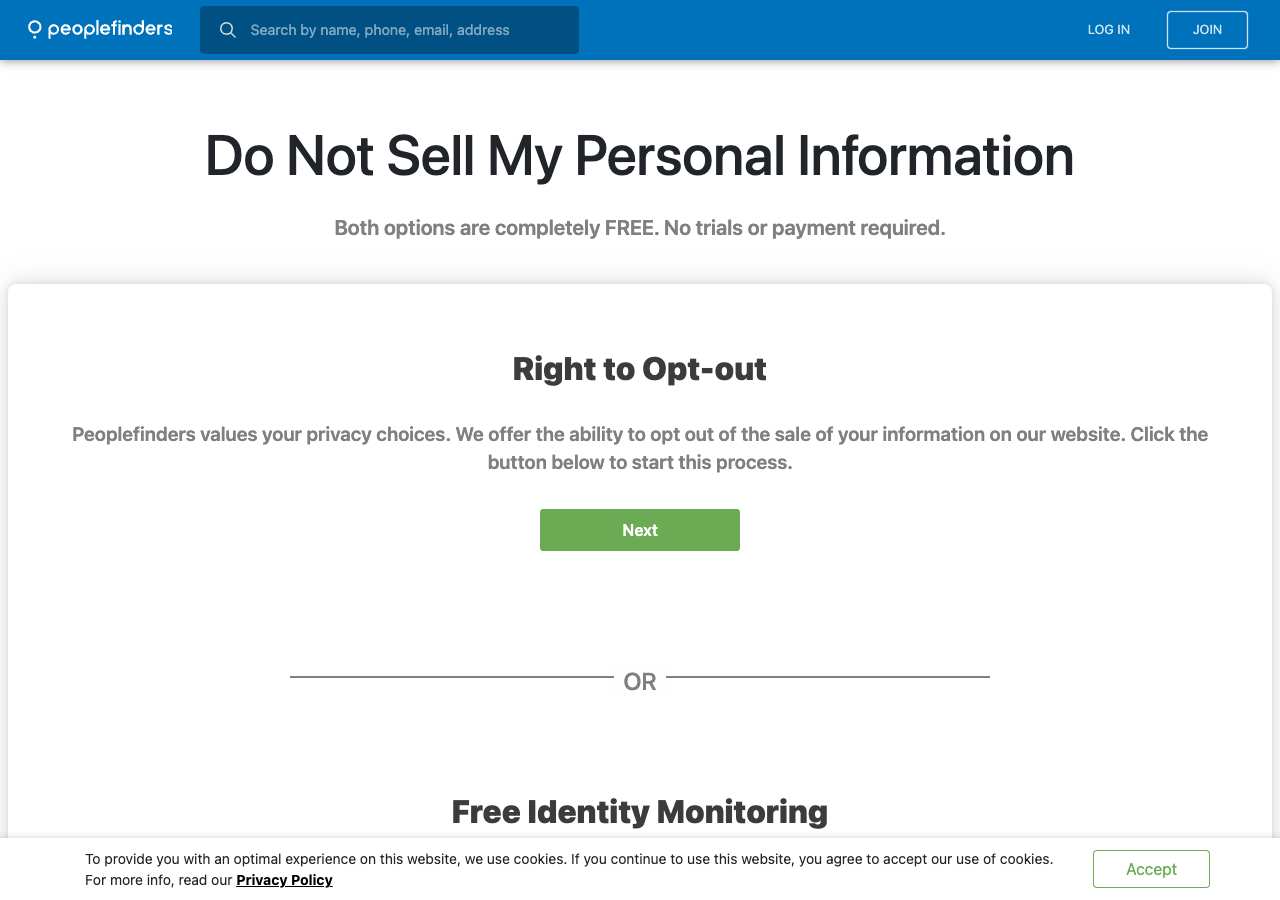
What the PeopleFinders opt-out page looked like when we checked
We loaded the opt-out page on peoplefinders.com on October 5, 2026 and it was up. The first screen asked for: First Name, Middle Name, Last Name, Email. The page includes a reCAPTCHA check.
This is a dated record of what our browser saw, not a removal. We never submit requests from this page.
Continue with your next privacy task
Found your details on another site?
- TruePeopleSearch opt-out instructions
Use this guide if you find a matching listing on TruePeopleSearch. Check that site separately; a request elsewhere does not establish removal here.
- Unmask opt-out instructions
Use this guide if you find a matching listing on Unmask. Check that site separately; a request elsewhere does not establish removal here.
The source page changed, but Google still shows it
Choose between a Google personal-info request and refreshing an outdated result.
Read the how-toYou found more than one profile
Keep separate records of each matching URL so an extra listing is not missed.
Read the how-toThe confirmation email never arrived
Check the site's requirements before retrying a request or sharing more information.
Read the how-toRemind me to recheck PeopleFinders in 30 days
We'll send one reminder to verify the listing is actually gone. Confirm the email first; no ongoing marketing and no account required.
What is PeopleFinders?
PeopleFinders (operated by Confi-Chek) is a people-search and background-check site that publishes profiles built from public records, including criminal histories, property records, vital records, and social media links. The site searches by name, phone number, email, or address and sells detailed background reports. PeopleFinders also feeds data to sister sites QuickPeopleTrace and PrivateEye.
You do not have to have signed up with PeopleFinders to appear in it. The site sources data from public records providers, data brokers, and third-party data suppliers, so a profile can include phone numbers and addresses you never gave to PeopleFinders directly.
What a PeopleFinders listing can show
- Full name and current and previous addresses
- Age and full date of birth
- Phone numbers (landline and mobile)
- Email addresses from various sources
- Criminal records and court documents
- Property ownership information
- Relatives and associated people
- Education and employment history
Who runs PeopleFinders, and which sites one request covers
PeopleFinders is operated by Confi-Chek, a data-management company with a US presence. The site has published contact information: phone (877) 551-9688 with an option for removal requests. PeopleFinders owns and operates QuickPeopleTrace and feeds data to PrivateEye. Opting out of PeopleFinders covers QuickPeopleTrace. PrivateEye maintains a separate opt-out page and requires its own removal request.
Same request also covers: quickpeopletrace.com
What is the peoplefinders.com opt-out removal process?
PeopleFinders's opt-out process is a direct web form requiring sensitive identity information: full name, date of birth (month, day, and year), email, phone number, street address, city, and state. The form includes reCAPTCHA Enterprise verification. When we checked on October 5, 2026, the page was reachable with all fields visible, no Cloudflare challenge, and reCAPTCHA as the only bot check. Submission triggers an email confirmation; clicking the verification link finalizes the removal.
How long it takes
PeopleFinders states that removals take 3 to 9 days. In practice, most profiles disappear within 3 to 5 days. Re-check after 5 days, and again after 9 days. If the profile is still visible after 9 days, submit the form again. Keep your verification email as proof of your first removal request.
PeopleFinders opt-out problems and fixes
You don't know your date of birth to enter, or the wrong DOB appears on the form
The form requires your actual date of birth, not the one shown on the PeopleFinders profile. Enter your real DOB. If the wrong information is stored on PeopleFinders, use the correct information on the form so PeopleFinders can match it to the right profile and delete it.
The reCAPTCHA will not complete or times out
reCAPTCHA Enterprise can be slow on some connections. Wait 10 to 15 seconds for it to load, then try clicking the box again. Disable VPN if you are using one, as it can interfere with CAPTCHA verification. Refresh the page and try once more if it times out.
The verification email never arrived
Check spam, promotions, and other email filters. Resubmit the form once using the same email address. If it still does not come within a few hours, call PeopleFinders at (877) 551-9688 and ask to complete the removal over the phone.
The verification link doesn't work or expired
Verification links typically expire within 24 hours. If the link doesn't work, go back to peoplefinders.com/opt-out and submit your name and DOB again. A new verification email will be sent.
The profile is still visible after 9 days
Wait a few more days; PeopleFinders can take up to 9 days as stated. If the profile remains after 10 days, file the removal request again using the same form. If you have multiple profiles (different cities or time periods), each one needs a separate removal.
Your profile came back months later
PeopleFinders re-aggregates and re-purchases data regularly, so profiles can rebuild. Re-search PeopleFinders and repeat the removal. Keep your prior removal confirmations as proof.
After you opt out of PeopleFinders
Keep the verification email from PeopleFinders as proof of your removal request. PeopleFinders re-purchases public records and data, so new profiles can reappear, especially after moves or other life changes. Check PeopleFinders every 2 to 3 months and re-file if needed. Note that opting out of PeopleFinders also removes your listing from QuickPeopleTrace (a sister site). PrivateEye maintains its own database and requires a separate opt-out request. Other people-search sites like Spokeo, BeenVerified, and Intelius are independent and need individual removal requests.
Who does what for PeopleFinders
The honest split, so nothing here reads as a promise we cannot keep.
What we handle
- Opening the official PeopleFinders form pre-filled with your scan details.
- Tracking the request status after you complete the step only you can do.
- Re-checking peoplefinders.com before anything is marked removed.
What you must do
- Complete the step PeopleFinders requires from you directly: a CAPTCHA, email confirmation.
- Open the confirmation email and click the link -- the request is not filed until you do.
- Pass the CAPTCHA or human check on the official site in a normal browser; follow that site's troubleshooting if it fails.
- Re-check peoplefinders.com after PeopleFinders states that removals take 3 to 9 days. In practice, most profiles disappear within 3 to 5 days. Re-check after 5 days, and again after 9 days. If the profile is still visible after 9 days, submit the form again. Keep your verification email as proof of your first removal request. and repeat the process if the listing returns.
Realistic scope
This guide removes this one PeopleFinders listing once you complete the step only you can do. It does not touch PeopleFinders's other data products, other brokers that buy data from PeopleFinders, or the public records the listing was built from -- those need their own opt-outs. Most people-search sites re-ingest data on their own schedule, so plan on re-checking peoplefinders.com every few months even after a successful removal.
My Privacy Agent opens the PeopleFinders form and tracks the outcome.
PeopleFinders requires a step only you can do (a CAPTCHA, email confirmation). After you authorize a mission, our agent opens the official form with your scan details, hands you that step, records the request as filed only when the site confirms it, and re-checks the listing before anything is called removed. If the site blocks the agent, you get the same instructions above instead of a fake status.
Current service availability and terms are listed on the pricing page. Nothing is marked removed before a provider or native action succeeds.
PeopleFinders opt-out FAQ
Is PeopleFinders legitimate, and is the opt-out form safe to use?
Yes, PeopleFinders is a real people-search and background-check site, and the opt-out form at peoplefinders.com/opt-out is the official, legitimate removal method. The form is free, does not require an account, and does not charge any fees. Do not pay third-party services to remove you; use the official form only.
How do I remove my PeopleFinders profile?
Go to peoplefinders.com/opt-out and fill in your full name, date of birth (month, day, year), email, phone number, street address, city, and state. Complete the reCAPTCHA and click submit. Click the verification link PeopleFinders emails to you. Removal takes 3 to 9 days.
Does removing from PeopleFinders also remove you from QuickPeopleTrace?
Yes. QuickPeopleTrace is owned by PeopleFinders and shares the same database. One removal request covers both sites. PrivateEye is a different site and requires its own separate opt-out.
How long does PeopleFinders take to remove your profile?
PeopleFinders states 3 to 9 days. Most profiles are removed within 3 to 5 days. Re-check 5 days after verifying your email, and again after 9 days. If the profile is still there after 9 days, file the removal request again.
Why does PeopleFinders ask for your date of birth on the opt-out form?
PeopleFinders uses your date of birth as an identifier to locate your exact profile in their database. Since many people share the same name, providing your real DOB helps ensure they delete the correct profile.
Can you opt out of PeopleFinders without your date of birth?
No. The form requires your full date of birth (month, day, year) to locate and delete the correct profile. This is a standard identity verification step.
Does PeopleFinders accept mail or fax removal requests?
No. According to PeopleFinders, the web form at peoplefinders.com/opt-out is the only removal method. Mail and fax requests are not accepted. You must use the online form or call (877) 551-9688 to request removal over the phone.
Does My Privacy Agent remove me from PeopleFinders automatically?
PeopleFinders requires a step only you can do (a CAPTCHA, email confirmation). After you authorize a mission, our agent opens the official form with your scan details, hands you that step, records the request as filed only when the site confirms it, and re-checks the listing before anything is called removed. If the site blocks the agent, you get the same instructions above instead of a fake status.
Related broker opt-outs
PeopleFinders shares data or an opt-out flow with PrivateEye, QuickPeopleTrace.
PrivateEye
PrivateEye is a Confi-Chek brand that shares its database with PeopleFinders.
Open guideBeenVerified
BeenVerified sells background reports built from public records and commercial data.
Open guideIntelius
Intelius is the flagship PeopleConnect background-report brand.
Open guideSpokeo
Spokeo aggregates addresses, phone numbers, relatives, age, and social profiles into a searchable people-search listing.
Open guideSources and review
Reviewed October 5, 2026 against PeopleFinders's own pages and the sources below. Broker forms change often; if something here no longer matches, the official page wins.
Review and change history
A content review or directory snapshot is reference history. A historical route observation does not establish submission, provider acceptance or removal, and does not establish a current working route. Current independent evidence has its own scope and expiry.
· Guide content reviewed against the published sources. This is the recorded review baseline; no earlier editorial change log is available.
· Historical route observation: reachable (HTTP 200). This describes only the page observed on that date; later steps and today's availability were not established by that observation.
Read current independent route evidence. That record reports its own scope, date, expiry and any gaps; this history does not renew verification.